Audio Cutter
Trim any song or audio file in seconds. Free, private, right in your browser.
Drop your audio or video here
MP3 · WAV · M4A · OGG · FLAC · MP4 · WebM
- Files stay on your device
- No upload
- Works offline
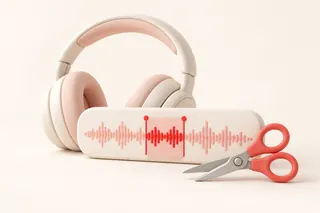
Cut Audio Online — Without Uploading Anything
Most audio cutters make you upload your file first. Then you wait. Then you download it back.
Crikk skips all that. Your file opens right in your browser. You trim it, and you save it. It never touches our servers.
That means faster cuts, total privacy, and no waiting on slow Wi-Fi.
Why Use Crikk Audio Cutter
🔒 Your Files Stay Private
Your audio never leaves your device. No upload. No server. No one else can hear it — not even us. Safe for voice notes, interviews, and unreleased music.
⚡ Instant. No Upload Wait.
A 100 MB file takes minutes to upload on other sites. Here it opens in seconds. The cutting happens on your own device, so you're never stuck in a queue.
✈️ Works Offline
Load the page once. After that, you can trim audio even with no internet. Great on flights, trains, or bad hotel Wi-Fi.
🎯 Cut to the Exact Millisecond
Drag the handles on the waveform. Or type the exact start and end time. Zoom in for tight cuts on beats and words.
🎚️ Smooth Fade In and Fade Out
No more sudden starts or harsh endings. Add a soft fade with one tap. Perfect for ringtones, intros, and outros.
🆓 Free. No Sign-Up. No Watermark.
No account. No hidden fees. No sound tags added to your file. Just cut and download.
How to Trim an Audio File (3 Easy Steps)
- Step 1
Add your file
Drop your audio or video file on the page. Or tap "Choose File." It opens right away.
- Step 2
Pick the part you want
Drag the two handles on the waveform. Or type the start and end time. Hit play to check it. Add a fade in or fade out if you like.
- Step 3
Cut and download
Pick your format — MP3, WAV, or M4A. Click "Cut & Download." Your new file saves to your device in seconds.
Keep a Part or Remove a Part
Need just the chorus? Choose Keep selection.
Want to delete a cough, a mistake, or a long pause in the middle? Choose Remove selection. We cut it out and join the rest — smoothly.
What Can You Do With It?
- Make a ringtone. Grab your favorite 30 seconds of a song. Use the iPhone or Android preset.
- Clip a podcast. Pull the best moment to share on social media.
- Clean up voice notes. Cut the silence at the start and the "umm" at the end.
- Trim music for videos. Get the exact length for your Reel, Short, or TikTok.
- Shorten interviews and lectures. Keep only the part that matters.
- Get audio from a video. Drop in an MP4 and save just the sound as MP3.
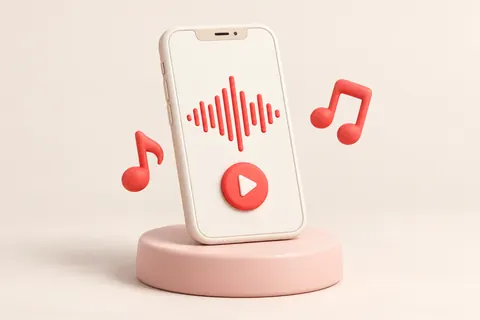
Make a Ringtone in Seconds
iPhone: Tap the iPhone preset. We save your clip as an M4R file and keep it under 40 seconds, the iPhone limit. Then add it through Finder (Mac) or iTunes (Windows).
Android: Tap the Android preset. You get an MP3. Move it to your phone and set it in Sound settings.
Supported Formats
Open: MP3, WAV, M4A, AAC, OGG, FLAC, WebM, MP4, MOV, MKV
Save as: MP3, WAV, M4A (and M4R for iPhone ringtones). OGG (Opus) on browsers that support it.
Works on Any Device
Use it on Windows, Mac, Chromebook, Android, or iPhone. All you need is a modern browser: Chrome or Edge 94+, Firefox 130+ on desktop, Safari 26+, Opera 80+, or Samsung Internet 17+. Nothing to install.
Crikk vs. Upload-Based Audio Cutters
| Feature | Crikk | Typical online cutter |
|---|---|---|
| Upload your file | ❌ Never | ✅ Required |
| Wait for upload / download | No | Yes |
| Works offline | ✅ | ❌ |
| File stored on a server | Never | Often for hours |
| Sign-up needed | No | Often for big files |
| Watermark / ads | No | Often |
Frequently Asked Questions
Is this audio cutter really free?
Yes. It's 100% free. No sign-up, no watermark, no limits on how many files you cut.
Do you upload my audio file?
No. Your file opens and gets cut inside your own browser. It never goes to our servers. We can't see it or hear it.
Does it work without internet?
Yes. Open the page once while online. After that, it works offline in the same browser.
Is there a file size limit?
There's no upload limit, since nothing gets uploaded. Big files depend on your device's memory. Most phones handle songs and podcasts easily. For very long recordings, use a computer.
Will cutting lower the sound quality?
Not if you pick the right format. For a plain cut, choose "Original quality" when it shows up — your audio is copied as-is with no re-encoding. WAV also keeps full quality. For MP3, choose 256 or 320 kbps for near-original sound.
Can I cut audio from a video?
Yes. Drop in an MP4, MOV, or WebM file. Pick the part you want and save it as MP3 or WAV.
How do I cut out a part in the middle?
Select the part you don't want. Choose "Remove selection." We delete it and join the rest.
Can I add fade in and fade out?
Yes. Turn on Fade In or Fade Out and pick how long the fade should be.
How do I make an iPhone ringtone?
Select up to 40 seconds and tap the iPhone preset. You get an M4R file. Add it to your iPhone through Finder or iTunes.
Does it work on iPhone and Android?
Yes. It works in Safari 26 and newer on iPhone and iPad, and in Chrome, Edge and Samsung Internet on Android. No app needed. If your browser is too old, the tool tells you which version you need.
Which formats can I save in?
MP3, WAV, and M4A. M4R for iPhone ringtones. OGG (Opus) too, on browsers that support it.
Is it safe for private recordings?
Yes. That's the point. Since your file stays on your device, it's safe for interviews, meetings, voice memos, and unreleased tracks.
Ready to trim your audio?
Fast, free, and private. Your file never leaves your device.
✂ Cut Audio Now